
Instantly Available · Watch the Recording · 3 Bonus QuickStarts Included
The AI Said to Pause the Keyword. The Keyword Didn't Exist.
A true story from inside the MeasureU community: the AI sounded completely sure of itself, and when our member pushed back, it blamed the bad data it was given. It had a point. This workshop is where you find out what the AI can trust, and what you need to fix first: you audit your own dashboard with a repeatable system you keep. For marketers, analysts, and agency professionals working with GA4 dashboards and AI-assisted analysis.
- The main workshop: Julie's full session plus the Q&A, recorded and ready to watch now
- Audit your own dashboard during the workshop, with a system you can rerun on any report
- Leave with a ranked fix-first list, not a to-do list the size of a textbook
- Taught by Julie Brade, a measurement strategist with nearly two decades of dashboard and reporting experience
- Includes 3 bonus QuickStart prep courses and 2 mastermind call recordings, all optional (details below)

AI Can Read Your Dashboard in Three Seconds. It Just Can't Tell You What Any of It Means.
That keyword story isn't a fluke, and to be clear: no amount of dashboard cleanup makes AI incapable of making things up. What clean, documented data gives you is the ability to catch it, because you can check every answer against a source that actually means something. Here is what changes when your data is actually AI-ready:
AI answers you can actually verify
When your metrics have definitions, source labels, and context baked in, you can check what AI tells you against the underlying data, which is what separates "sounds right" from "is right."
One consistent system instead of ten different opinions
Ask AI what you should be measuring and you'll get a different laundry list every time, like asking ten people for their opinion. This workshop teaches one way to do it. Set it up once. Use it going forward.
A dashboard someone else can actually read
Anyone who opens it, not only you or whoever built it, should be able to see what each metric means, where it came from, and what question it was supposed to answer. The audit holds your dashboard to that bar.
Real data to work with by the end of week one
The QuickStarts are a build sequence, not an info-dump. You set up one thing in week one, and by week two you have actual data to check. That momentum carries you into the main workshop with real data to audit.
You know which numbers you can trust, and which one to fix first
You finish the workshop with a completed AI-Ready Data Audit and a clear, ranked list of what to fix first. Not every possible improvement. The right ones, in order.
AI as a maintenance tool, not a replacement for thinking
Once your data is structured correctly, AI becomes genuinely useful for keeping up with it, instead of overwhelming you or turning into a guessing game. Better data leads to better decisions, and AI helps you maintain them without starting over every quarter.
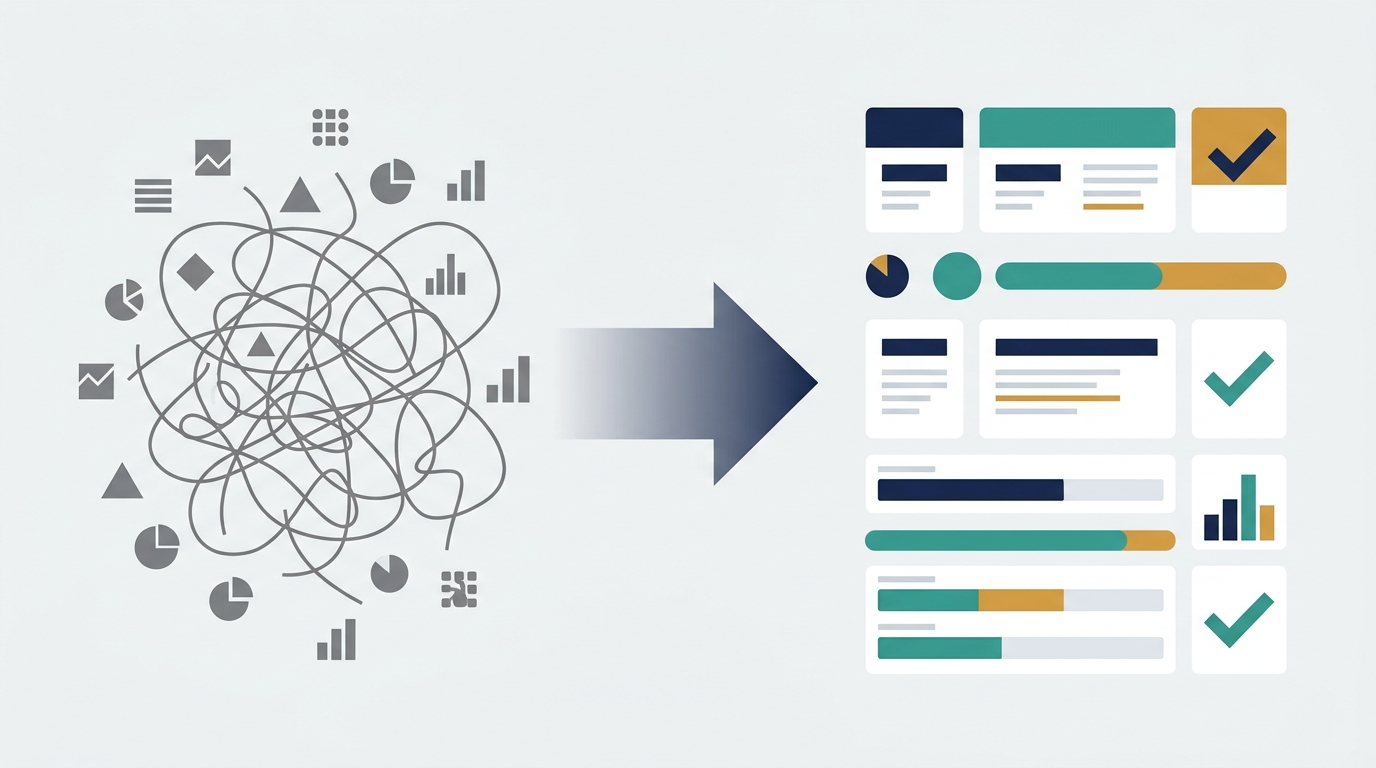
Why Most AI-Plus-Dashboard Experiments Go Sideways
AI Sounds Confident Even When It's Completely Wrong About Your Data
You paste a report into ChatGPT. It comes back with a crisp, authoritative-sounding summary. You almost share it with your client before you notice the numbers don't add up.
This is far from a fringe problem. It's a well-documented property of how these models work: they produce fluent, confident-sounding text whether or not the underlying answer holds up. And people act on that confidence, shipping decisions built on an answer nobody checked against the source.
The model is doing exactly what it's built to do: pattern-matching on whatever you gave it. If what you gave it was ambiguous, unlabeled, or missing context, the confident-sounding answer was built on a guess.
Most Dashboards Have Page Views and No Context. Nobody Remembers What Half the Metrics Mean.
"Conversions." Was that form submissions? Purchases? Both? The person who set it up left two years ago. The definition lives in a Slack thread nobody can find.
AI can't fill that in. It'll invent something plausible and present it as fact. And the team will nod along because the answer sounds reasonable and nobody wants to admit they're not sure what the dashboard is actually tracking.
What Doesn't Fix This (Even Though It Looks Like It Might)
Before finding this, most people have already attempted at least one of these:
- Exporting a raw report and hoping AI figures it outA raw CSV export doesn't carry the context your dashboard has, and your dashboard probably doesn't have enough context either. Unlabeled columns, undefined events, metrics without goals. AI will read it confidently and fill in the blanks with whatever seems most likely. Sometimes that's close. Often it isn't. And you won't know which until something downstream goes wrong.
- Hiring an agency to "fix the dashboard" without fixing what feeds itA better-looking dashboard built on the same underlying data is still built on the same underlying data. When the events aren't defined and the sources aren't labeled, and nobody's quite sure what "conversion" means in this property, a redesigned dashboard just makes the problem prettier. The AI will still misread it.
- A generic AI-marketing course that never gets specific about your dataBroad AI strategy courses teach you how AI works in marketing. That's useful. But they don't help you figure out whether your own GA4 property and dashboard, with its particular mix of metrics, is something AI can actually work with. That's a different question, and it's the one this workshop answers.
AI-Ready Data: Make Your Dashboards Ready for AI
AI reads dashboards fine. The trouble is that most dashboards weren't built to be read in the first place, by AI or by anyone who wasn't in the room when the tracking was set up.
This workshop shows you exactly what's missing and what to fix first, without rebuilding your entire measurement setup from scratch or installing a new AI tool. It gives you a structured way to audit what you already have, find the holes that make AI answers unreliable, and document your data so it actually means something to whoever reads it next, including the AI.
The core session is the AI-Ready Data Workshop. It hands you the system: the AI-Ready Data Audit. Definitions, source traceability, goals, history, formatting. You learn the whole repeatable process and apply it to a real dashboard or report you already have, pinpoint what's missing, and build a prioritized plan for what to fix first. From there, you can see how to structure data so that when AI reads it, the conclusions are ones you can actually check.
To make sure you walk into that session with real, validated data to audit instead of a hypothetical, you also get three bonus QuickStart courses. They walk you through planning real measurement, building working tracking, and validating that the data is actually arriving and trustworthy. All three are recorded, and you keep them for life.
The Workshop, Plus Three Bonus QuickStarts to Get You Ready
The hierarchy is simple: you're buying the AI-Ready Data workshop. It comes with three optional QuickStart prep courses and the recordings of two live support calls. Everything is recorded, and you get all of it the moment you buy. Here is how it fits together:
QuickStart 101: Plan Beyond Page Views
On demand · about an hour
Before you track anything, you need to know what question it's supposed to answer. In this session, you'll plan one real page or user journey around the decisions it should inform, rather than around page views or sessions. The actual questions your stakeholders are asking, and the measurements that would answer them.
You'll leave with a planning template and a companion checklist so the plan doesn't stay theoretical, plus the recording to revisit any time.

QuickStart 201: Build Meaningful Tracking
On demand · about an hour
You have a plan. Now you build it. This session walks through turning that measurement plan into working engagement tracking in GTM. Pre-built GTM containers are included so you're not starting from a blank screen.
By the time this session ends, you have something running. Which means by the following week, you have real data to look at.

QuickStart 301: Validate Your Data for Action in GA4
On demand · about an hour
Tracking being "set up" and tracking being correct are two different things. This session is about the second one. You'll check whether events are actually arriving, whether the numbers make sense, and whether the data is trustworthy enough to act on.
You'll leave with a source-data validation checklist and a debugging guide for the most common "is this event arriving?" problems.
2 MeasureMastermind Call Recordings
On demand
Two live group calls where members brought their own data and got their questions answered in real time by the MeasureU team. Watch them when you get stuck between the QuickStarts, so you walk into the main workshop ready to work.
The AI-Ready Data Workshop
On demand · 90 min teaching + 30 min Q&A
This is the main workshop, and the one paid session. You learn the full AI-Ready Data system and apply it to a real dashboard or report of your own: definitions, source traceability, goals, historical context, formatting. By the end you've pinpointed what's missing and what to fix first, and you have a repeatable system you can run on any dashboard again later.
Then you see how to prepare a slice of that data for AI analysis and how to check the conclusions it returns against your source before you act on them.
Bonus: a demo of the system in practice with an AI tool like Claude (a taste of the separate MeasureU MCP workshop for anyone who wants to go deeper). It's an extra, not a required step, and the system works with Claude, ChatGPT, and other AI tools.
You leave with a completed audit and a short, ranked answer to the question that matters: which of these numbers can I trust, and what do I fix first.
Everything That's Included
The AI-Ready Data Workshop (the core paid session)
- 90 minutes of teaching and working time, followed by 30 minutes of open Q&A with Julie Brade, all recorded
- AI-Ready Data Audit Checklist: the structured audit you'll run on your own dashboard. Includes fill-in sections for metric definitions, a legend, and a change log, the documentation layer that makes AI analysis reliable.
- AI Prompt Starter Pack: a set of prompts designed for use with the AI-Ready Data system. What you get will be practical and usable, not a static PDF that goes out of date in six months.
- Prioritized Next-Action Plan: instead of a to-do list of every possible improvement, you leave with a ranked, realistic plan for what to address first, based on your specific audit results.
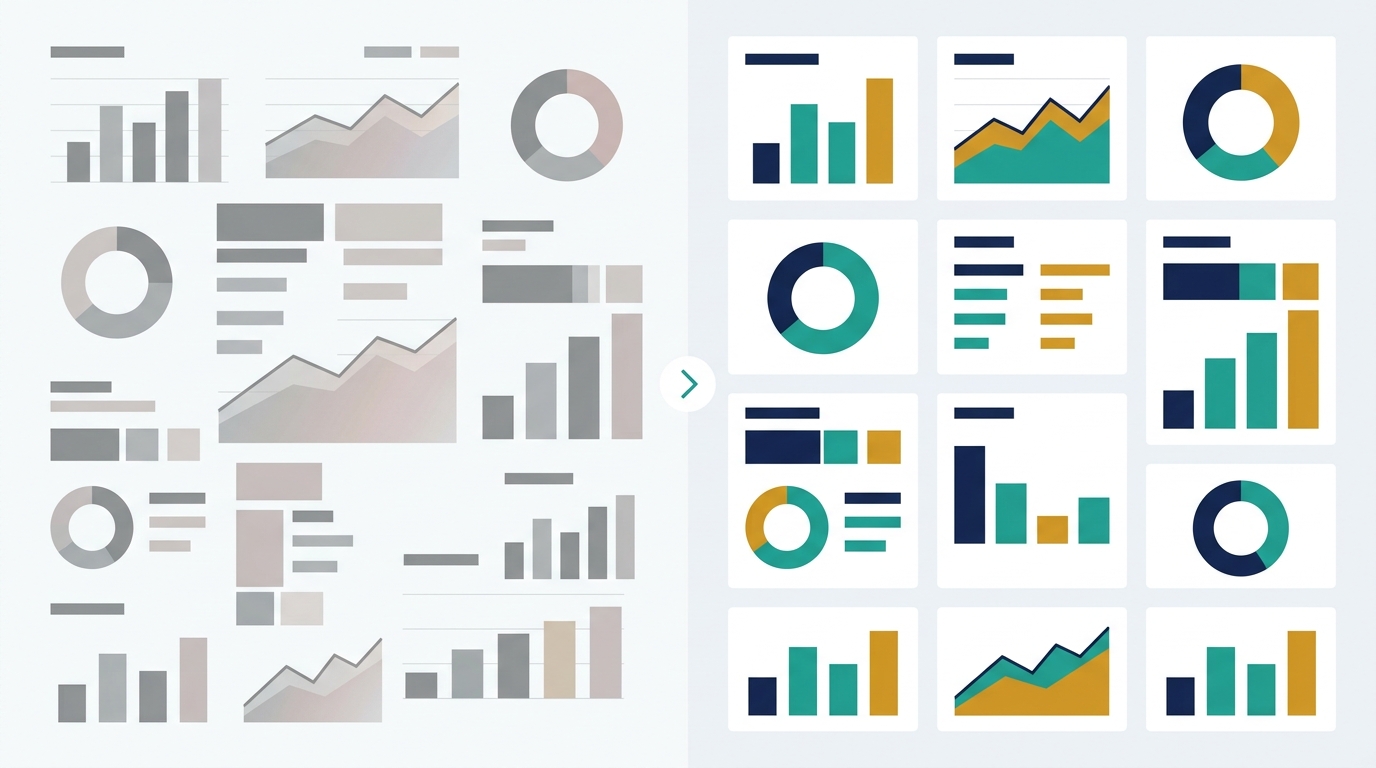
- Before/After Dashboard Example: a side-by-side look at what a dashboard looks like before and after the AI-Ready Data Audit is applied.
- BONUS Bonus Demo (Claude/MCP): a look at what the system enables when you bring structured, well-documented data to an AI tool. It's a taste of the separate MeasureU MCP workshop, and watching it doesn't require Claude or any specific AI tool installed.
Bonus: The Three QuickStart Courses (optional prep, included)
A QuickStart is a short video course, about an hour long, that walks you through one focused setup. It's an actual lesson you follow along with, not a PDF or a checklist, and each one comes with a template, checklist, or ready-to-import container you keep and reuse afterward.
QuickStart 101: Plan Beyond Page Views
Recorded session + walk-through guide + measurement planning template + companion checklist
QuickStart 201: Build Meaningful Tracking
Recorded session + walk-through guide + GTM implementation checklist + pre-built GTM containers ready to import
QuickStart 301: Validate Your Data for Action in GA4
Recorded session + walk-through guide + source-data validation checklist + "Is the event arriving?" debugging guide
All three are recorded, with lifetime access.
Bonus: 2 MeasureMastermind Call Recordings (optional support, included)
Recordings of two live group calls where members brought their own data and questions and worked through them in real time with the MeasureU team.
MeasureMastermind Call 1
Live group Q&A and working session, recorded with lifetime access
MeasureMastermind Call 2
Live group Q&A and working session, recorded with lifetime access
Included With Every Purchase
- Lifetime access to all recordings and session materials, delivered through the MeasureU member platform
- Watch on your own schedule. The materials don't disappear.
Ready to Make Your Data Worth Trusting?
It's $299 and includes the workshop recording plus three bonus QuickStart courses, all available right away with lifetime access.
Your Instructor

Julie Brade
Director of Measurement / Pro Product Lead, MeasureU
Julie has been building dashboards and reporting systems for nearly two decades across a wide range of industries. Since 2015, her focus has been on optimization and strategy: not just building dashboards, but making sure the data inside them actually supports decisions.
She's the kind of analyst who looks at a dashboard and immediately asks what question it was supposed to answer, whether the tracking matches that question, and whether anyone would know if it didn't. It's the orientation she brings to every session she teaches here.
At MeasureU, Julie leads the measurement practice and the Pro product. She teaches the workshop and all three QuickStart courses.
If you've ever wanted someone to show you how to look at your actual setup and find what's missing, not just what's theoretically possible, this is the right workshop.
"This gave me the structure, support, and clarity I didn't realize I was missing. Real-world labs made complex topics feel doable. If you're serious about measurement, this is where you level up. Fast!"
- Alina Popa, MeasureU student
"It feels like a secret weapon. Even in busy periods when I can't focus on formal learning, I know the group will always have my back for those tricky questions that platform support teams can never answer."
- Christina Jones, MeasureU Pro member
"This was a wise investment. If offered to get my money back so they could sell my spot, I would turn it down."
- Nick Graff, MeasureU student
Two Ways to Use AI with Your Marketing Data
The Old Way
You export the report, paste it into ChatGPT, and ask what changed and why.
The AI comes back with something that sounds authoritative. You share it in the meeting. Someone asks where a number came from and you realize you're not entirely sure. The "conversion" metric the AI highlighted: was that the goal you set up in 2022 that nobody ever updated, or the one that actually matters?
You spend the next hour verifying. Or you don't, and you act on it, and you find out later.
The definitions live in someone's head, or in a Slack thread, or nowhere. The AI filled in the blanks with its best guess. It used confident language because that's what it does. And now you're the one who has to explain why the numbers in the report don't match the numbers in the platform.
The definitions are the problem, not the technology. A new AI tool won't fix a metric nobody can define.
The New Way
Your dashboard has definitions. Every metric has a label, a source, and a note about what it was supposed to measure. The AI-Ready Data Audit is already done, so when you hand a slice of data to an AI tool, you know what's in it.
The AI comes back with a conclusion. You check it against the source. It holds up, or you catch the problem before it becomes a decision. Either way, you're in control of the output.
One consistent system across your reporting. Not ten different opinions depending on who ran the analysis or which AI tool you used that week. Definitions and structure that hold to a single standard, run after run.
You use AI to help maintain it. Not to replace the thinking, but to handle the parts that used to eat hours every week. The data is doing what it was supposed to do. And you can show your work.
You Spend Hours Every Week Verifying What the AI Told You.
Hours every week checking whether the AI got it right, because the underlying data didn't give it enough to work with. A workshop that fixes the source of that problem costs less than what those hours add up to in a month, and it includes three bonus QuickStart courses to prep your data first. It's $299.
What's Included and What It's Worth
Total value: $832
$299
Includes everything above, available the moment you buy, with lifetime access to every recording.
Already a MeasureU Pro member? This workshop is included with your membership; find it in the member platform. Not Pro yet? You can add Pro at checkout and it covers every MeasureU workshop.
Get AI-Ready Data — $299How This Compares to the Alternatives
| Option | Cost | What You Get | What You Don't Get |
|---|---|---|---|
| AI-Ready Data Workshop (this) | $299 | Workshop recording + the AI-Ready Data system, prioritized plan, 3 bonus QuickStart courses, 2 mastermind call recordings, validated data foundation, lifetime access | Not a finished dashboard, not a certification |
| Hire an agency or consultant to "fix the dashboard" | Custom quote, typically recurring each time something changes | Someone else's interpretation of your data | The system for maintaining it yourself, or knowing when the AI is wrong |
| Generic AI-marketing course (e.g., Marketing AI Institute's Piloting AI for Marketers, $499) | $499 | Broad AI strategy for marketing teams | Anything specific to your data, your dashboard, or your measurement setup |
| Self-paced courses (Udemy one-time, or Coursera-style subscriptions) | $15-$100 one-time, or ~$49/mo subscription | Dashboard mechanics or AI-marketing concepts | A structured audit system or source-verification discipline |
| Do nothing, keep pasting reports into AI | $0 upfront | Confident-sounding answers | Answers you can verify. Everything else carries a cost you won't see on an invoice: the hours spent checking AI output, and the decisions made before anyone caught that the numbers were wrong. |
Skipping this still has a cost: the hours spent verifying AI output that wasn't built on solid data to begin with, plus the decisions made before anyone noticed the numbers were wrong.
The Workshop Is Ready When You Are.
It's $299. You get the workshop, all three bonus QuickStarts, and both mastermind call recordings the moment you buy, and they're yours for life.
30-Day Money-Back Guarantee
If you go through the sessions and this isn't what you needed, email the MeasureU support team at support@measureu.com within 30 days of purchase. You'll get a full refund, no questions asked. If the system doesn't give you a clearer picture of your data and a realistic plan for making it AI-ready, you shouldn't have to pay for it.
Is This the Right Workshop for You?
This Is For You If...
- You have at least one dashboard, GA4 property, or report you can bring to the sessions and actually work with. Hypotheticals are less useful here than something real.
- You've gotten a confident-sounding AI answer about your data and then realized you couldn't verify it. This workshop teaches you to catch that before you act on it.
- You want one consistent system for what to measure and how to document it, instead of a different answer every time you ask a different person (or a different AI).
- You're a marketer, analyst, or agency-side professional who works with data regularly but isn't necessarily a developer or data engineer. Technical depth helps but isn't required.
- You want to use AI for analysis and maintenance without spending hours every week checking whether it got the numbers right.
This Is NOT For You If...
- You want someone to build a finished dashboard for you. This workshop produces an audit and a prioritized improvement plan. You apply it yourself, or hand it to your team. It's not a build service.
- You're looking for deep Claude or MCP installation training. That's a separate MeasureU workshop. Claude appears here only as an optional demo during the main session.
- You want a certification. This isn't a certification program. The sequence covers material that used to take twelve weeks in a formal certification track, but no certificate is issued here.
- You have zero existing data, reporting, or GA4 setup to bring to the sessions. The audit works on something real. If you're starting from a completely blank slate, the QuickStarts alone may be a better starting point.
Questions
+ − Do I need Claude or MCP installed before the workshop?
+ − Do I need to finish all three QuickStarts before the main workshop?
+ − Do I need to be using GA4?
+ − What if my dashboard only has page views and basic conversions?
+ − Can I use client data with AI tools during this workshop?
+ − Will I leave with a finished dashboard?
+ − Is this live or recorded?
+ − I'm already a MeasureU Pro member. Do I need to buy this?
+ − What's the refund policy?
+ − Is this a certification program?
Your dashboard already has the answers. This workshop shows you which ones you can trust.
$299. Instant access.
Get AI-Ready Data — $29930-day money-back guarantee. Lifetime access to all recordings and materials. Watch on your own schedule.